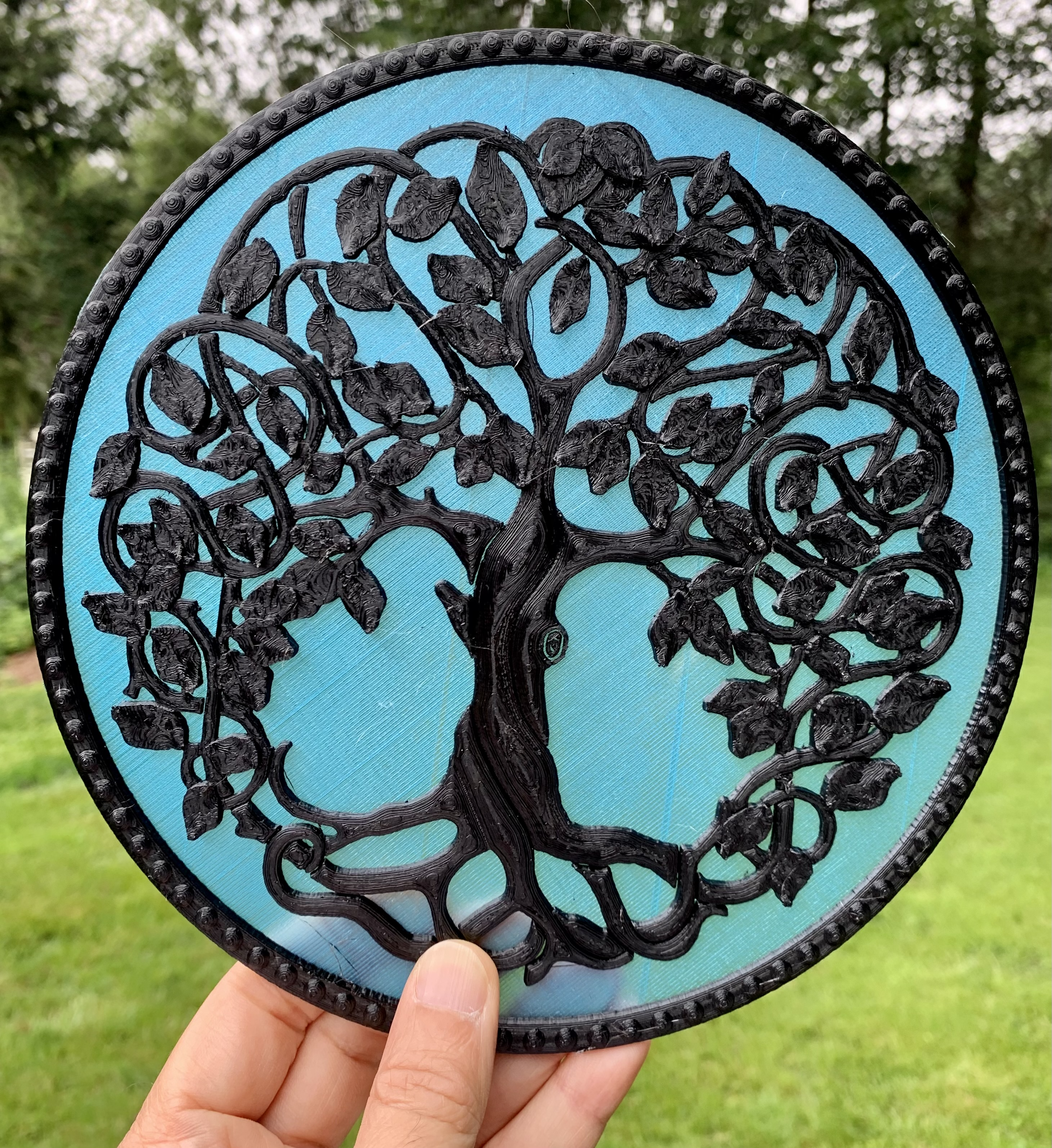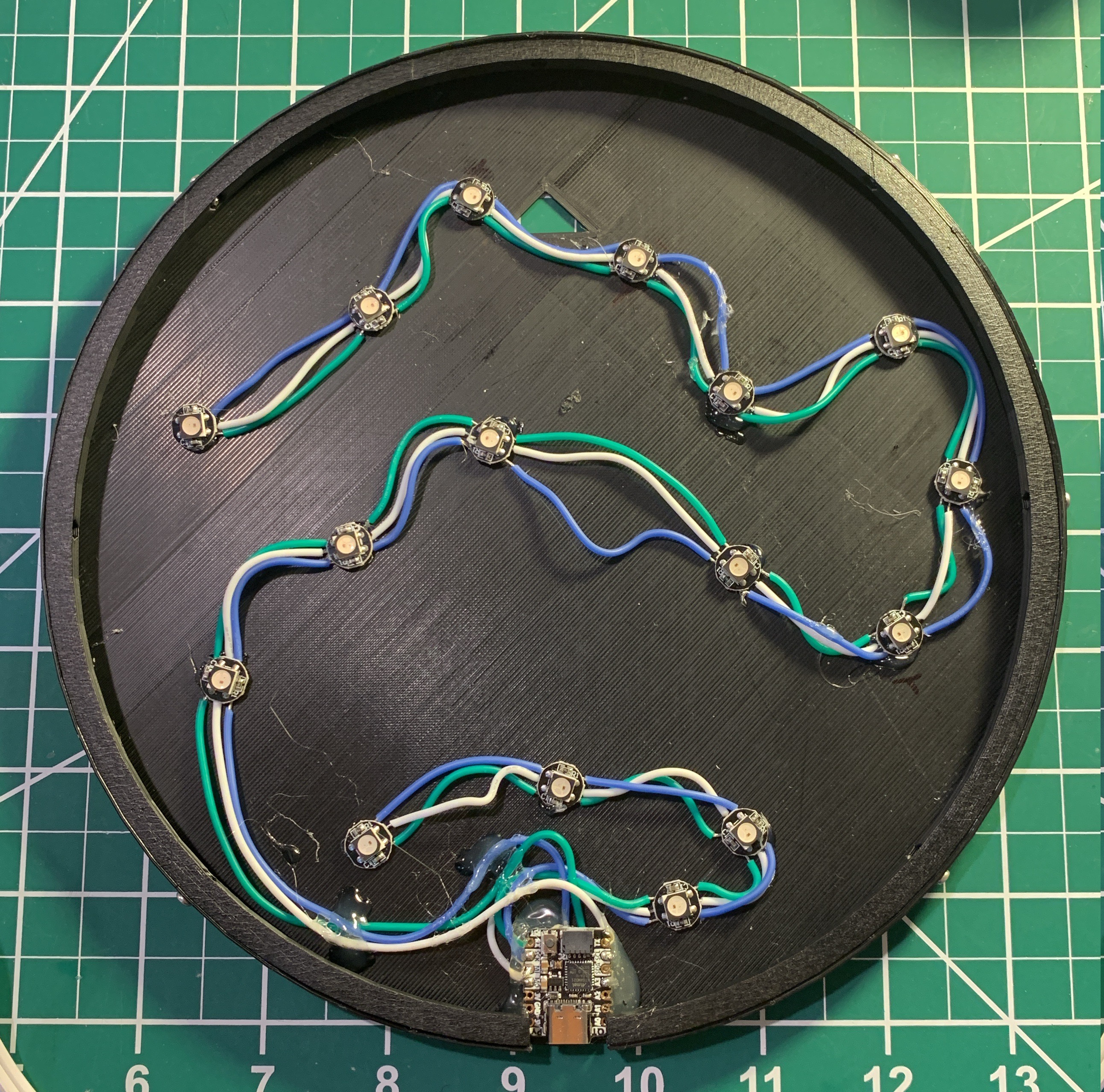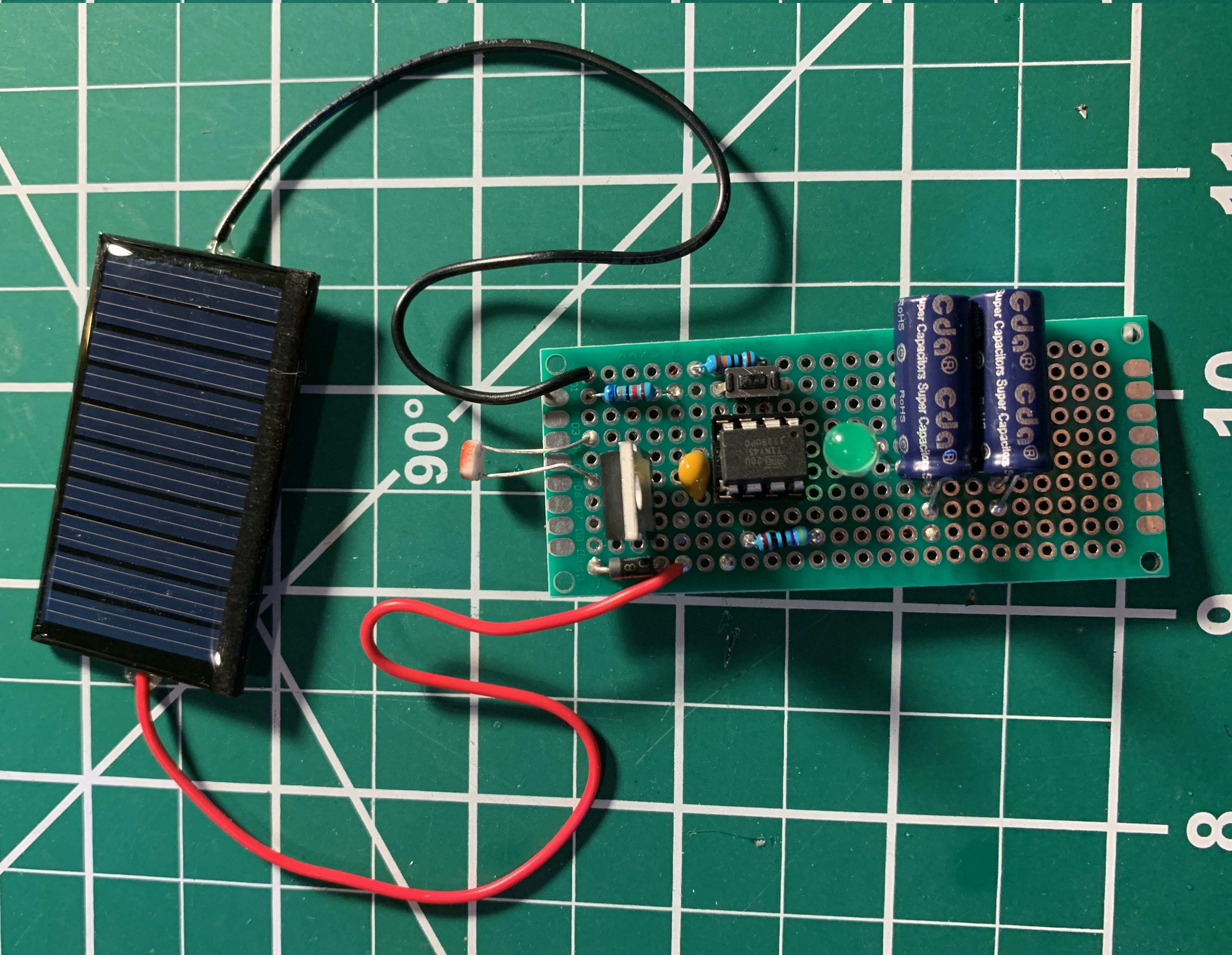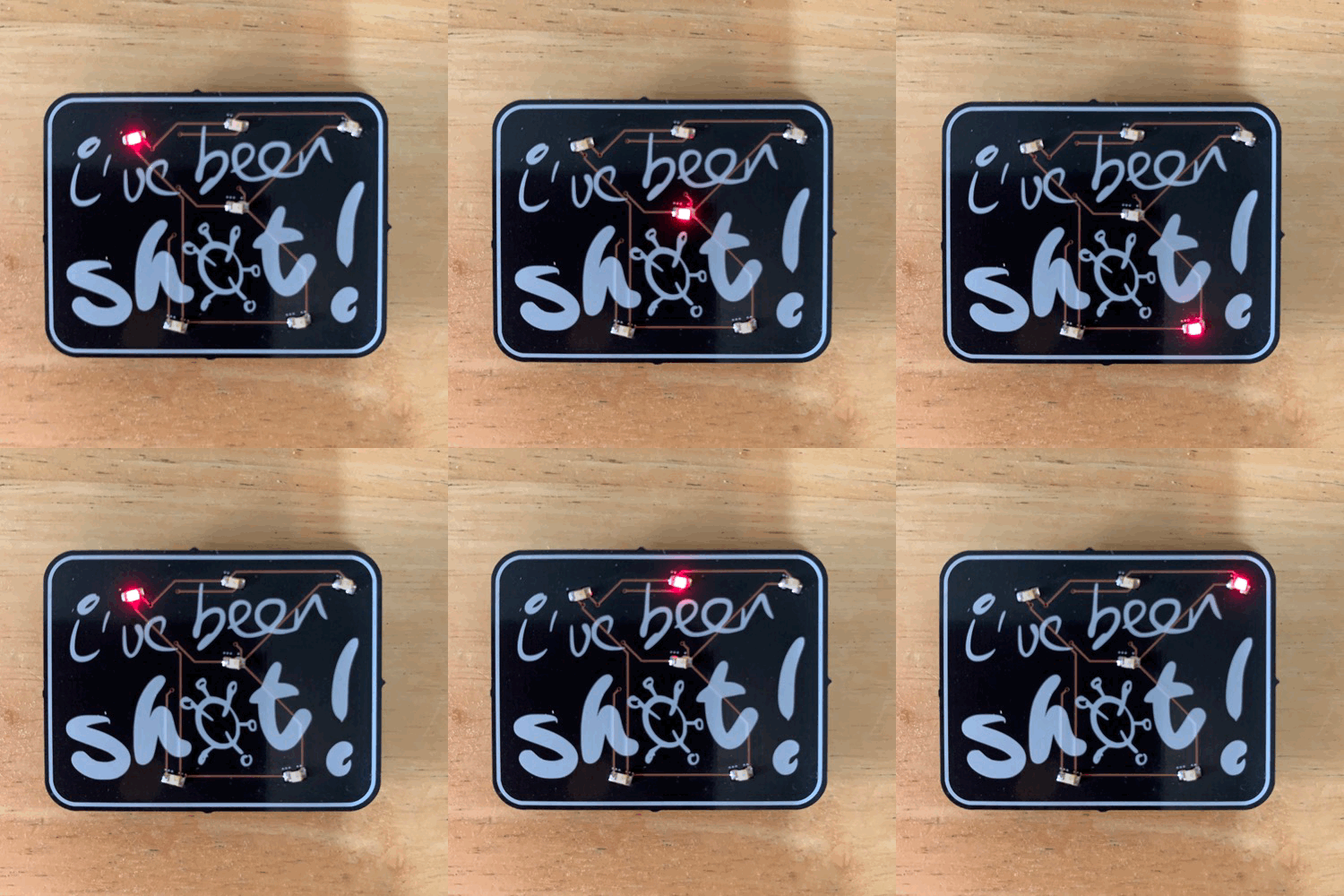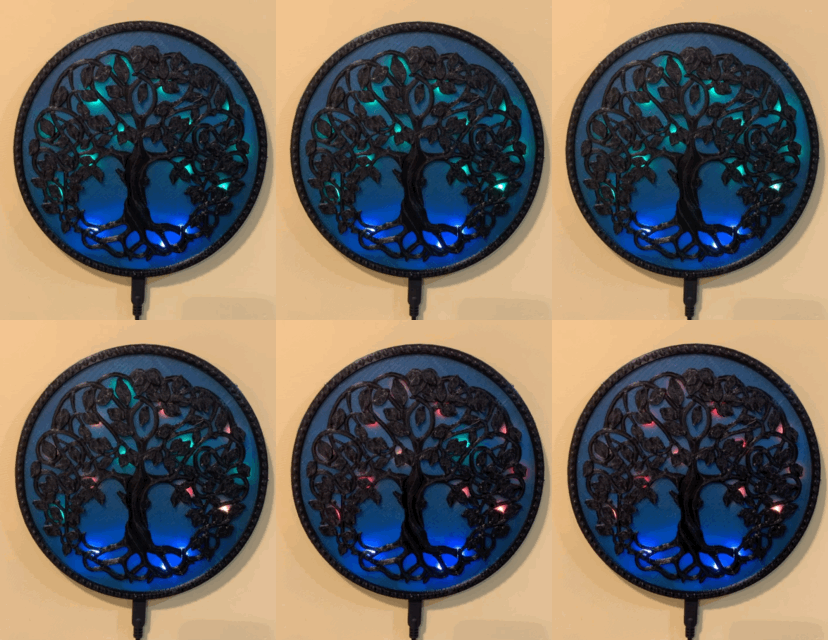
Project: I’ve been shot (COVID-19 vaccine badge)

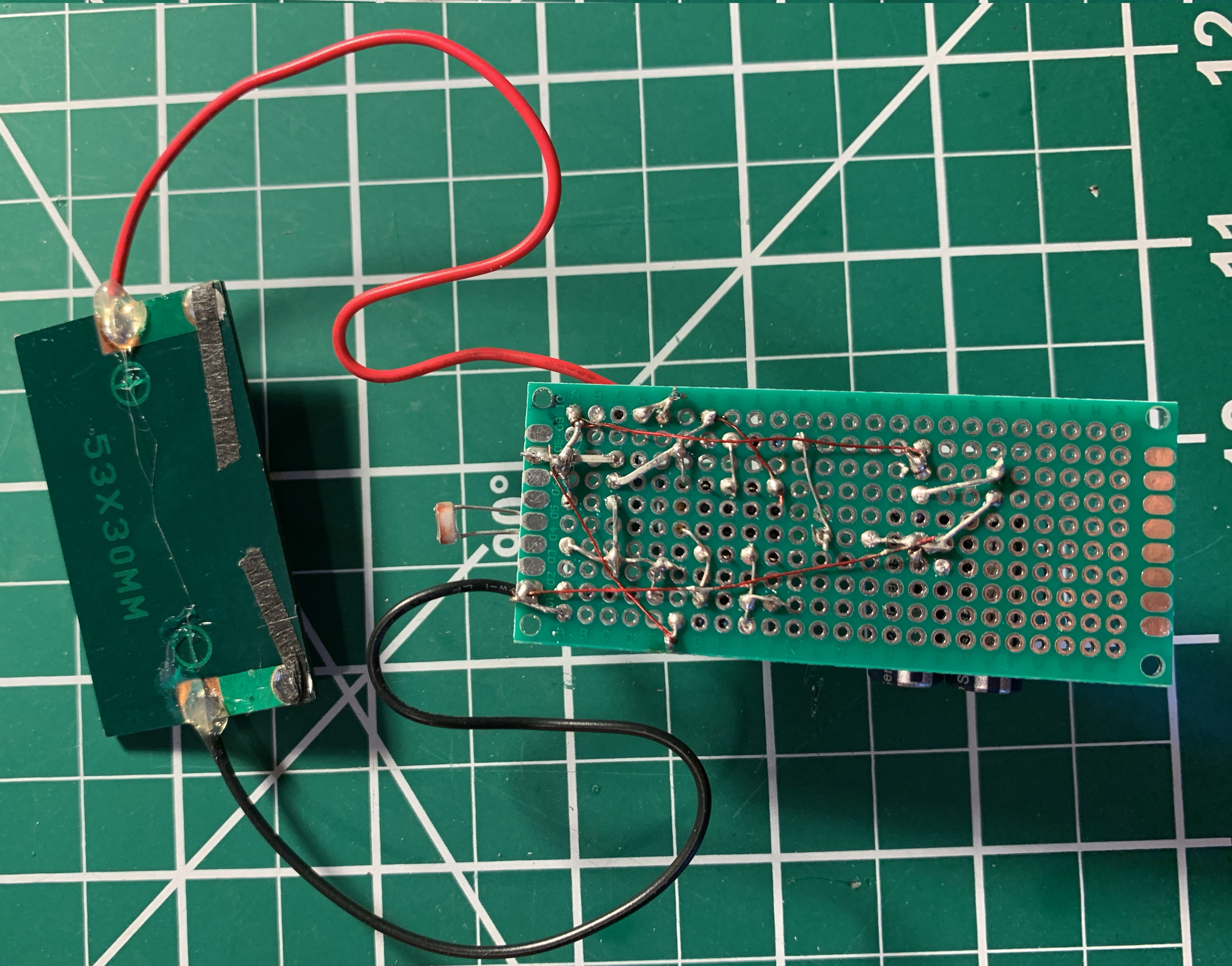
Back in January, when I was pondering my Jan-Feb project (for my year-long challenge), members of my family were starting to get vaccinated. Since I’ve been trying to do projects that represent things or have meaning, I tried to think of something that would ‘represent’ aspects of immunology, RNA, viruses, and vaccines. Alas, I couldn’t. So I figured I’d do a badge.

More leveling up
I’m always trying to do something new. I’d done a few PCBs. I was comfortable using an ATtiny to animate an LED. So I wanted to push a few things here.

First of all was the artwork. My mother has an iPad with a pen, so I drew out a few iterations of ‘I’ve been shot!’. Then I took it all into Inkscape to take advantage of svg2shenzhen, a cool plugin that I wish I had the first time I tried to make art PCBs about a year ago.

Then, for the circuit, I wanted to use an ATtiny85 or, my favorite, ATtiny45. And to maximize the number of LEDs, I decided to Charlieplex them, and use the RST pin to cycle thru animation (state memorized by EEPROM). To add a fun twist, I thought I’d use one of the new ATtiny 0-series chips, the 402. The chips are close enough to what I know, but would require a new programmer (it uses UPDI instead of the usual ISP programming). New! So part of this project required me to build a UPDI programmer.

Also, because it was going to be all surface mount components, I bought some solder paste (in a syringe) so I could try soldering with my hot gun (a new technique for me).

Chugging along
All was going well. I prototyped the Charlieplexing and code on an ATtiny45. Was able to easily design the board in KiCad, with the artwork. Ordered the boards from Oshpark in the After Dark style. And picked up parts from Digikey, as I usually do.

Soldering went well. Maybe one LED spun around and ended up backwards. But Charlieplexing is forgiving – it still it up, but at the wrong sequence.

But something big came up when I was programming the chips prior to mounting – I found out that the UPDI and RST pin are not shared (ugh, a reminder to always prototype with new chips before building with them). I knew UPDI and RST were on the same pin, but I didn’t know you could only have one or the other. Aaaand, if you set the UPDI pin to RST, you need a High-Voltage (HV) programmer. So once you set the bootloder to set the fuses to use the RST instead of UPDI, you need a HV programmer to load your sketch.

I was stuck. The board was designed to do the RST with the RST/UPDI pin. So there was no way the board was going to work. As insurance, then, I set another pin to be used as reset (a slightly different interrupt coding than with the ATtiny45s, but seemed cleaner).

In the end, I had fully assembled badges, with the right code and backup interrupt pin, but which wouldn’t work as wired. I could cycle thru the animations by pulling out the battery and reinserting, or by using a wire to ground the backup pin.

That’s OK. I’ll just buy a HV UPDI programmer.

High-voltage frustration
The guy on Tindie with the recommended one was out of stock and despite pestering him and waiting more than a month, he never made more, even tho he said he was about to. Fortunately, the guy (who is really clever and documents things well) made everything available to buy the boards (from Oshpark) and build the HV programmer yourself. So that’s what I did.

I don’t know. I built the HV programmer, but was never able to get it to do HV programming (it did regular UPDI programming quite well, but I already had a programmer to do that). After wanting to do this for almost two months, buckling down and spending some money to get more than I needed had I been able to just buy it on Tindie, I threw in the towel trying to reprogram the chips on my badges.

One last try
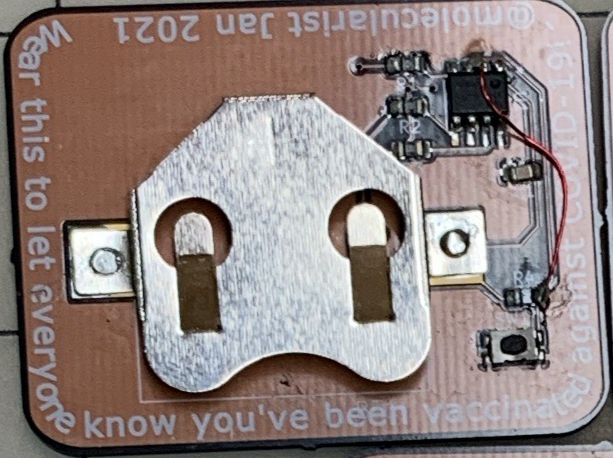
I have lacquered wrapping wire – it’s nice and thin and comes insulated. Perfect for a bodge.

And I see so many folks (*cough* Greg Davill) doing amazing bodges, I realized that my only way to make these badges usable was to try a badge with the lacquered wire. So decided to give the project one last effort and to try to bodge the badges.

Now, I had thought the soldering process would be enough to burn off the lacquer to expose the copper. But I found out (after not being able to make the bodge work) that it takes time. So I patiently bubbled off the lacquer (checked it with a multimeter) and bodged all the badges.

It worked. I hot-glued some pins to the back and now have a proper badge to hand out to vaccinated family members.

Summary
On a whim, I designed a badge to commemorate getting a COVID-19 vaccine. I managed to compete this project within my Jan-Feb time frame. Except for one wrinkle. Along the way, I tried some new things for me, but walked into an unexpected feature of the new chip I used. I tried one way to fix it, but was stymied, until I figured out how to do a simple bodge.

Yay.

One more thing: aside from missing the UPDI/RST issue, I was schooled again on sizes. Man, 0805 is small. And so is SOIC-8. But I knew that already. The real head-scratcher was the 3mmx5mm button. Gosh, that’s small. I really need to just buy a bunch of buttons to try out and get a feel for. Haha.

Project: For all time

Some great projects are very personal. Or, at least, only the maker really understands the driving forces that led to the creation. And, yes, this is one of those.

Not sure when it happened, but the thought of measuring time in different ways got stuck in my head. Basically, there’s the old saying “Someone with one clock knows the time, someone with two is never sure.”

So I took that thought and figured all the ways I could show time in a compact construction, and it rolled on from there.

The parts
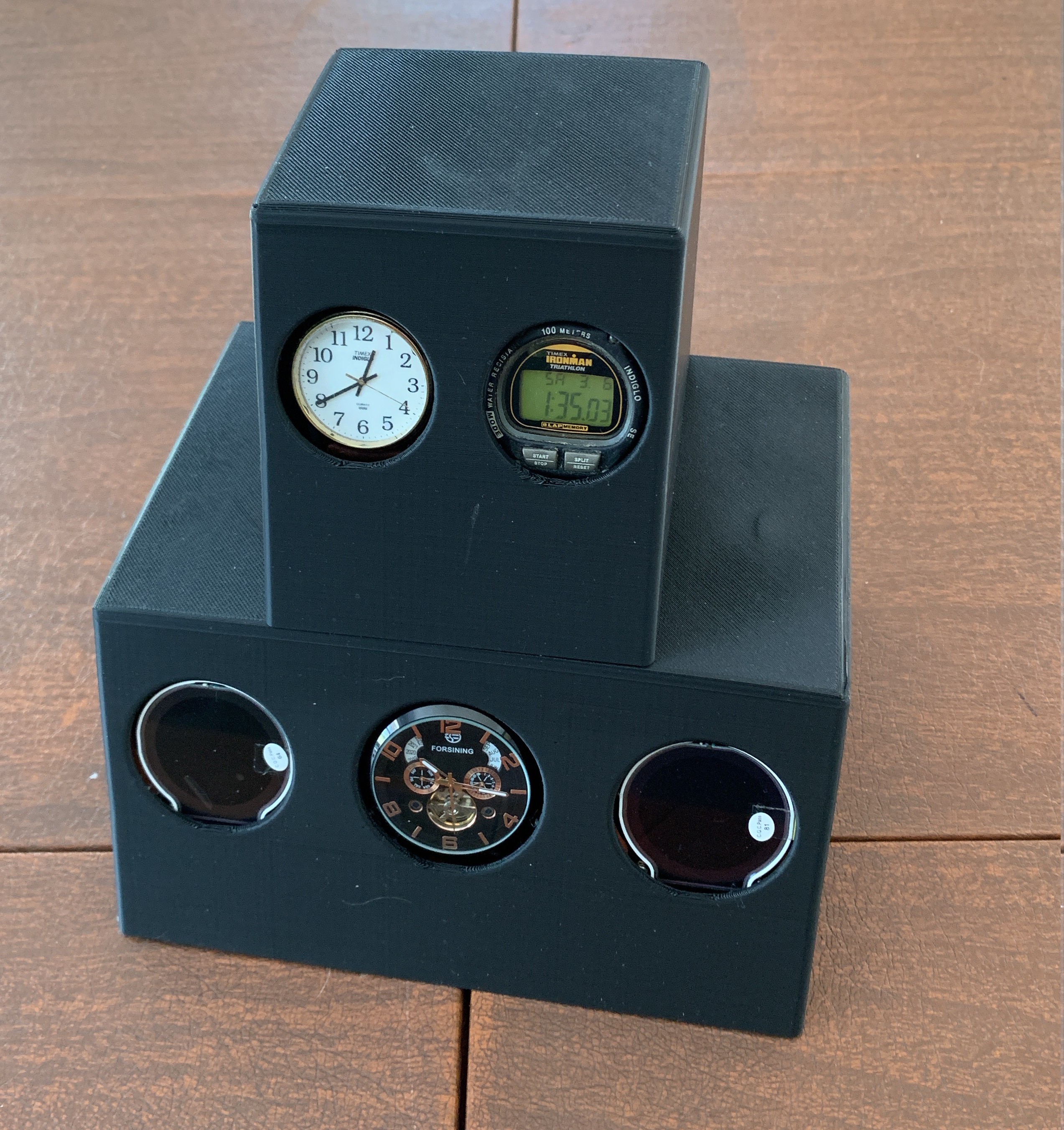
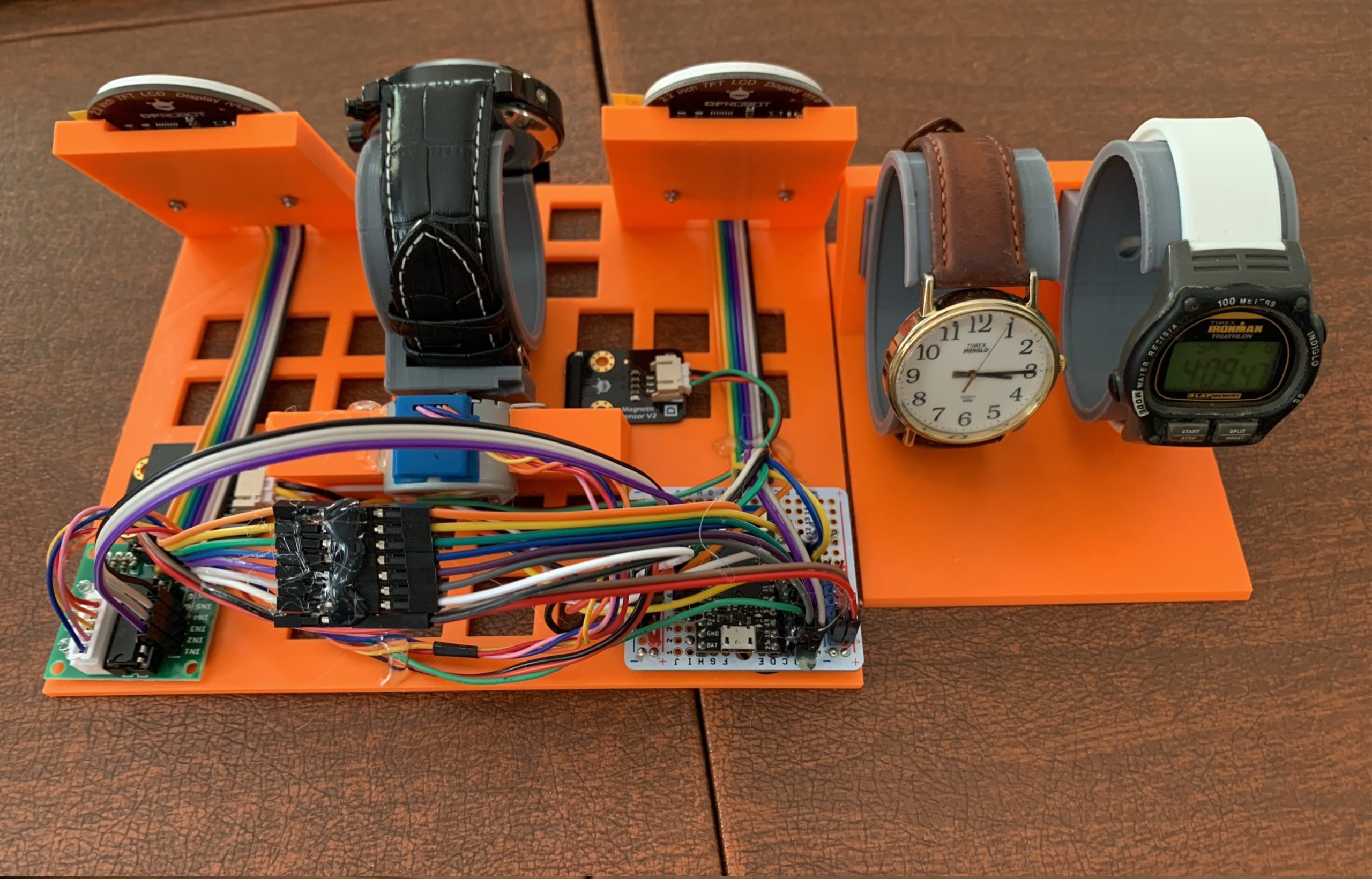
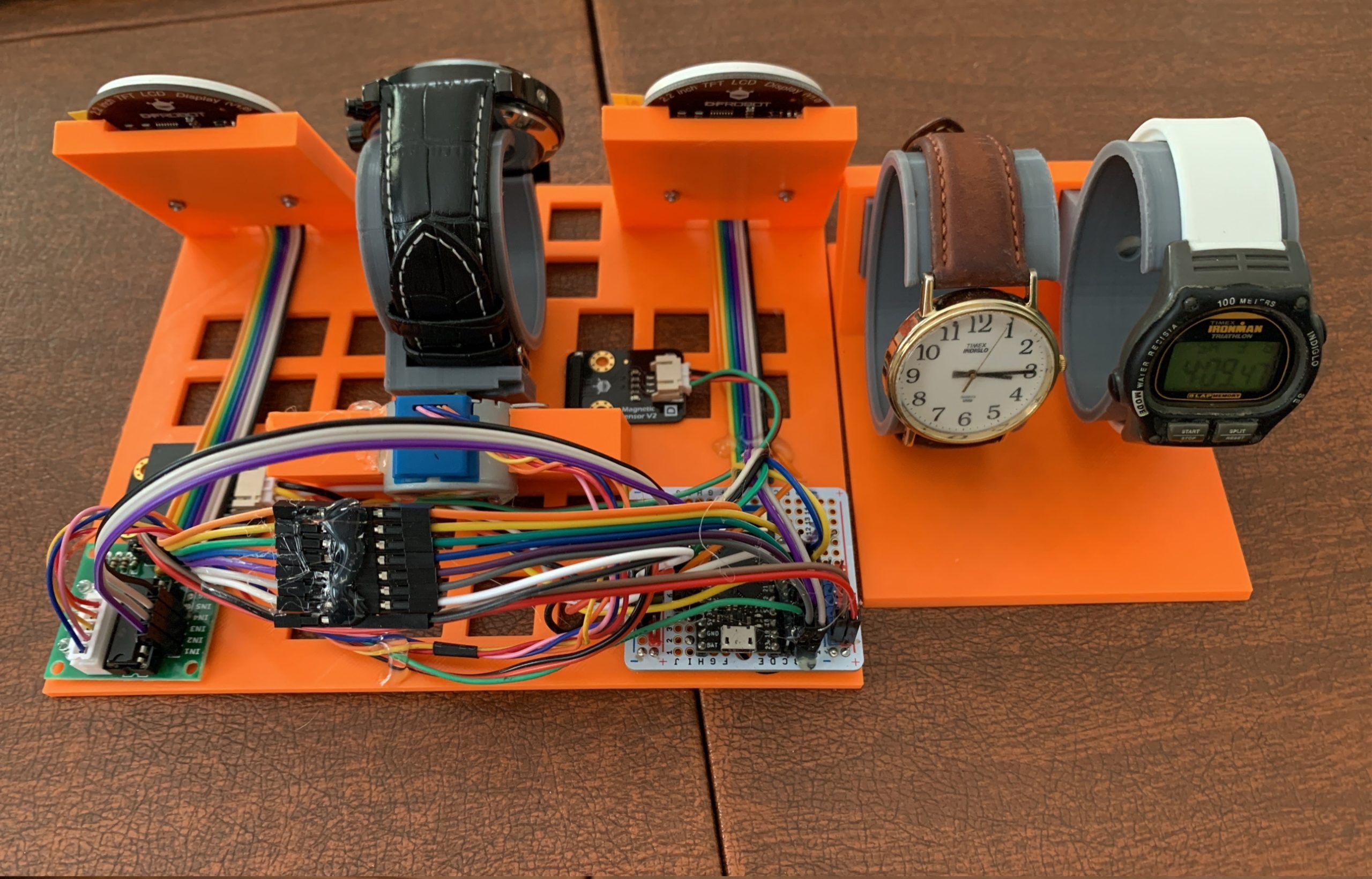
I had a few watches around. Two of them are the self-winding kind. And one was an old Timex digital watch. That got me going, so I thought I’d add an RTC that I had lying around and, since I had a WiFi capable board, I could do NTP. Then, along the way, I ended up with a straight analog digital watch (that one has a special story, too).

The RTC and NTP needed screens to display, so I got these cool round TFT displays that the vendor had a library for drawing a rudimentary watch face.

For the self-winding watch, I went out and bought an inexpensive one that looked cool (has year, month, day, day of week). And to keep the self-winding going, I hat to add a motor. I first thought I could get away with a servo, but soon thought better and got me a stepper.

At the core of it, I put my TinyPICO that was lying around for a while. I adore it, but really haven’t had a project that needed it since after some stuff I did I first bought it (that’s another project story).

When I put it all together the TFT were using 7 pins (SPI), the stepper took 4, and the RTC 2. That left one more for the magnet sensor for homing the stepper. Yes, I ended up using all the logic pins of the board. Also, everything ran on 3.3V, except the stepper, which ran off 5V.

Two hearts
The TFT drawing was really slow. I could draw a face a second, but it took most of the second for both faces to render. That meant that the stepper wasn’t happy when it was going. I could have left it at that as the stepper would only be going every so often (to keep the watch wound). But the cool thing is that the TinyPICO is based on an ESP32-PICO which has two cores.

The Arduino IDE only uses one core. But there is a way to make a process work on the second core. And it was soooo easy. So I ended up putting the screen drawing on one core and the stepper on the other. And the two could merrily chug along without any conflicts.

Leveled up there, for sure. Haha.

Mounting it all
The coding part was quite easy, and simple. The mounting of it all was a bit more invovled.

This was the first project that I printed a base and an enclosure of my design. I needed a useful base on which to mount things and an enclosure to cover it all. I kept things simple. This was the biggest effort I’ve ever done in Fusion 360 (best way to learn it properly). And these were the longest and biggest prints I’ve done to date. There were hiccups along the way, of course (I’m not going there). But here’s the inside (to right).

Feeling unfinished
OK, so I flexed my Fusion 360 skillz, used all the pins, and ran things on two cores. Really level up my skills. And I did manage to get it all up and going. But I forgot to make the enclosure snap or screw together so it’s still a bit loose. And I’m not sure if the homing code is working as it should. But chiefly, the holder for the self-winding watch is unsatisfying – it’s loose, mostly.

But I really need to put this project down. I haven’t been able, tho, to set it up and let it run. the whole point of the project is to turn it on, let it go for more than a few days, and watch how all the time elements get out of synch (as in, fall behind in their own way).

Life has a way, and I can’t focus on this much more for a few months, so in the semi-finished state it’ll stay until then.

Oh, well.

[This is meant to be the Dec-Jan edition of my project challenge. Talk about stretching out the time frame. Since Oct, this has been the norm. Currently, things are a bit more challenging than usual.]

The back and forthing when selecting microcontrollers for my projects

The tools we use not only deliver the experience we wish to build, but also shape the experience. So when I think of what will be the brains of my project, the selection of the board or the chip is a dialogue between what I want to achieve and what can support it, with a dose of what I have in my collection.

Concept first
Most of my projects start with the concept, rather than looking at a board and thinking ‘oh, what can I do with this shiny thing?’ Though, to be fair, I am aware having a board or chip (or set of components) on hand nudges my concepts in specific directions.

Take for example the coronavirus I built. The concept started as ‘I want virus and blinky’. As I explored options, I realized that I would have 12 vertices with LEDs I wanted to blink. I could have blinked them in unison and thus been able to use a board with a few pins. But I wanted to blink them independently (maximum blinkage). So that meant a board with at least 12 IO pins. Also, I knew I wanted to do it all in CircuitPython. Lastly, since I have quite a few boards around, the final parameter was that I would not buy a new board.

In the end, I settled for the ItsyBitsy M0 – it had plenty of pins, runs CircuitPython, and was sitting in my collection, waiting to be useful.

Back and forthing
The dialogue really wasn’t as simple of that, of course. I did consider, had I wanted them to blink in unison, I could use one of my QtPys – also runs CircuitPython, also is in my collection, but has only a few pins. But I also considered if they were blinking in unison, I would not really have needed CircuitPython, so could use one of the ATtinys I have lying around.

Alternately, I could have bought LEDs that blink on their own. But I already had a gazillion LEDs, so was not buying more stuff. So I could have used my non-blinking LEDs I had on hand and just left them on without blinking and been able to leave out the microcontroller completely. But that would not have been fun, right?

Yeah, that’s the kind of dialogue back and forth I mean.

Goes the other way too
For the project pictured above, the design called for a stepper motor, an RTC chip, and an LCD screen. The LCD screen I was considering needed 6 logic pins, the motor 4, the RTC 2 (plus VCC and GND, each). When I looked at the boards I had, I realized that I had a TinyPICO lying around looking forlorn. The TinyPICO has plenty of pins, and could do the motor and screens at the same time.

Where the TinyPICO affected the shape of the project was to help fix an issue where I could only update the screen OR turn the motor. Doing both at the same time caused the stepper motor to chatter and the screen updates to be delayed. The TinyPICO, though, has two cores on its ESP32, so I was able to use one core for the screens and one core for the stepper. ‘Dual core’ was not an initial parameter of the project, but ended up changing how I was doing the project.

Also, because there were still some pins left and the TinyPICO does WiFi, I was able to add a magnet sensor for the stepper and a WiFi component to drive a second screen. Why not?

I guess this is the forth and back – the board nudging the build design.

Never so simple
I do mostly lead with the concept to come up with parameters for the components. But the tools we have determine sometimes what we think. For example, for some reason, I now have two RP2040s (got them free thru different folks). Yes, that board is pressing on my mind to insert itself in a project.

The same for the QtPy. I had bought a pair for the coronavirus project (which, when I decided to blink the LED individually, ended up needing more pins than the QtPy had). Now the QtPys are sitting around looking to be useful.

In a current project I am working on, I landed on using a Feather M0, due to some peripherals I wanted to use and the form factor.* But I’ve been prototyping the project with a QtPy. So, now, I believe I’m going to make a version of the project with the QtPy. For the most part, the code will be the same, just it’ll be a much smaller package.

That’s what happens when the board pushes the project. Haha.

That dialogue
The project that started me obsessing about microcontrollers began with that dialog between ‘i need to do something’ ‘what could that be?’ ‘what do I have on hand?’ and iterating until it became a bioreactor. Though, I did learn to be aware that the dialogue sends you down different paths, based on what you choose. And each of these paths have their own rage of possibilities that affect the project selections (I like to call them ‘adjacent possibles’).

For example, I started the project with an old Arduino Duemilanove, which I happened to have lying around unused for 10 years. That decision, though, stuck me to the Uno form factor. Things were too late to change after I realized the old Duemilanove was underpowered (I upgraded to the Uno).

This choice to use the Duemilanove had a knock-on effect for a subsequent derivative project, as well. For that subsequent project, I wanted to switch the core microcontrollers, but that would have changed many of the peripherals. And due to time constraints, I stuck with the tools we had. We ended up upgrading to the MetroM4, because the project needed more muscle, but we were still stuck on the Uno form factor. Had I been able to design again from scratch and select a different microcontroller, I think I would have left the Uno form factor.

Summary
For me, choosing a microcontroller for a project is usually guided by the concept, but is really a dialogue between the concept and the tools, iterating into something to build. But the more I do this, the more I am aware that the choices send me down paths that have their own adjacent possibilities that constrain the direction of a project. Sometimes this leads to interesting outcomes, other times it can be a pain.

What’s your thought process when choosing microcontroller for a project?

*Ok, I chose the Feather format partly because I just want to frakkin’ do something with a Feather. Especially, the Feather S2. But I chose to do my data logging to an SD rather than the cloud, so stuck with a Feather M0 that comes with an SD slot. Yes, that backing and forthing, again.

Ever-evolving organizational management

I’ve been full-out making for about twenty months (as I count them). As I get deeper into building more complex projects based on microcontrollers, bare chips or purchased boards; 3D printing; PCB design, manufacture, and assembly; or cardboard, paper, and cloth, I have to keep adjusting how I organize code, projects, and builds.

Notes
Early on I realized I needed to be better at taking notes. I went a few months just slapping things together and not keeping decent notes for when I had to return to a project, either to adjust something or borrow or learn something off of it. That was embarrassing, as I’m an ex-scientist, and I even have a log for my beer brewing and running that go back many years.

The trigger here was having to go back to a project (the one that set off my maker-mania), both for a derivative build, and to document things to hand it to others (work project – great to be paid to mess with these things).

So I started being better at taking lab notes (using Evernote) with sources, images, commentary, sometimes code snippets, and lots of images. As I was trained to do decades ago.

Code
I had been doing the manual keeping track of code and code versions, afraid to use Git. Tho, a few months ago, I buckled down and learned how to use it. The real trigger was when I found out that Github can do versioning of KiCad.

Alas, I could do better here and using Github made me realize one other organizational change I must do.

Project-based
Most of my projects so far have been pretty contained – either all coded in Arduino, or CircuitPython; or a badge in KiCad. When I started making folders for projects, I kept them separated in those big categories, even if there were two parts.

But it was clear that most of my projects are a mix of 3D models, code, and PCB design. In silos was not how I built my projects. Indeed, for some time now I’ve been keeping all the physical elements of the projects in project boxes. Why not the digital components as well? Also, I realized that if I were to get the best out of GitHub, I’d be better off separating things out by project (say, PCB and code).

Note, most of the software I use like to have default project or sketch or code folders. That’s malarkey. They all do fine (as far as I can tell) with project folders anywhere accessible.

So my next biggest change moving forward is to group, best as can be, all digital elements of my project into one folder. And likely the folders will have a one-to-one correspondence with my lab book, as I usually do one note for one project.

Keeping unified project folders may seem elementary to you. But when one goes so long with a wonky filing system, you don’t feel it until you’ve done enough work that the wonky system gets in the way of finding or tracking what you are working on.

Yeah.

Future
Rearranging past project files for better management is a pain. Always best when doing it moving forward; alas, leaving a trail of loosely organized stuff at each re-org. Oh, well.

But now that I have note-taking in place, am ramping up GitHub usage, and realize I need to group digital elements by project, I expect smoother project management.

Until the next big re-org need.

As for that: Next for me is to sort out how to manage the inventory and physical arrangement of all my components, chips, boards, and supplies. I had a simple system of boxes and drawers and memory, but, as I do more and buy more (yes, we all know that problem), I’m running up against many physical and mental barriers.

Let’s see.

In parting, I’d ask you how you organize your project elements, but everyone is different, so, as they say, YMMV. But tips and insight is alway welcome.

Cheers.

Image from LOSTMIND

Making at the molecular level

The way everyone has been tracking and talking about viral variants of COVID-19 has been quite interesting. The start of the pandemic was a live-lab teaching moment for everyone on epidemiology. Then as the first vaccines were released, the world learned about vaccines, RNA, and viral molecular biology. Now, as active variants have been named, folks are learning about evolution, mutations, and the viral lifecycle.

As a scientist at heart, I’ve found all of it quite invigorating.

Making with really small tools
I’ve always had an interest in the structure of DNA and proteins. Long before I picked up a soldering iron, I was splicing DNA and building bespoke molecules.

As a technician at MIT, what little research I did was focused on characterizing some features of repetitive DNA. I was fortunate enough to be given the opportunity to learn some new techniques for injecting defined sequences of DNA into fruit flies, to modify their genome.

In grad school, I had wanted to do my rotation thru a microbiology lab to do some fun evolutionary studies using microbes. Alas, that professor was away, so instead I used electron microscopes to peer into and measure DNA at its smallest scales.

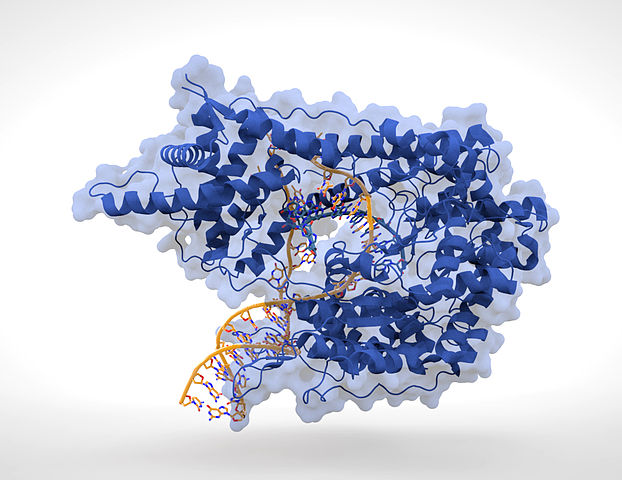
For my thesis work, I took my interest in DNA and proteins a step further. Our lab studied DNA-protein binding. We’d make DNA with modifications that effectively changed it by one or a few atoms. We then had a very simple model system (using RNA and T7 polymerase, if you care to know, shown in the image above) to read out the effects of these atomic-level changes – how it affected the binding characteristics, how it affected the activity of the enzyme we used.

True molecular biology.

Benchtop synthesizer
One of the cool aspects of this work was that we had our own DNA synthesizer, a tool normally meant for big core facilities making oodles of DNA.

Our model was a small one (sat on one end of my bench) with which we could make our short polymers of DNA to spec. In particular, we would alter the process to add modified bases, bought or synthesized in our lab, so that we were not stuck at the traditional A, C, G, and T. We also did some other crazy things to the DNA to modify it in various ways – all at the molecular level.

Making proteins
For my post-doc, I headed to a genetics lab, where were were mapping chromosomes and discovering new genes. Though, it so happened that one of the genes was an enzyme inhibitor, and, being the resident biochemist, I was asked to characterize the inhibitor.

Just like I did modifications to the DNA, I made modifications to the protein. While the chemistry of synthesizing proteins is way complex (no, I didn’t have a synthesizer), the tools of molecular biology (using bacteria) were sufficient for me to vary the amino acids across the inhibitor to alter its function. Due to the variety of natural amino acids, I could alter my inhibitor to create variants that differed by an atom or a few atoms.

And using some fun biochemistry (and fluorescent peptides – see, blikenlights even then) I was able to characterize what the inhibitor could do (FWIW, it was inhibiting enzymes from with different class of chemistry, blah blah).

Making at the molecular level
This was all long ago, and was a class of magic I took for granted. All the recent talk of viral epidemiology, structure, and immunology brought back memories of those years and reminded me that way back then, I was a maker too. A maker using really small tools and really small builds. Haha.

Not surprised I’m still a maker.

Image: Thomas Splettstoesser

Many new things for me last week

Just a quick post about some new things I am proud to have learned in the past week (plus a bonus from the week before last).

Badgelife
On Friday, I received some new boards from OSHpark from a design I made two weeks ago (yes, just under two weeks from order to receipt). I had originally intended to hand-solder the 0805-sized components. My long term goal is to learn how to apply solder paste with a stencil and bake it in a reflow toaster – but I don’t have a stencil or a toaster. No fear: watching a few videos and doing some reading gave me confidence to go part way – using solder paste from a syringe and heating with a hot air gun.

After a bit of tweaking, I got it to work for me. And, oh, what a great feeling. Having this new skill has just opened up a whole new world of SMD components.

As an aside, I made the boards using Inkscape and the SVG2shenzhen plugin the week before last. I had tried to make a badge back in March, and didn’t know of this plugin, so I wasn’t to enthused to try again. But for my project this month, I really wanted to do a badge, and then found the plugin.

The plugin (new to me) makes it dead simple to make interesting boards based on artwork in Inkscape. So, yes, this means I’ll be making more fun boards.

New chip and circuits
This badge also is the first time I did something with Charlieplexed LEDs (yes, a new thing for me to attempt). No library, as I only have 6 LEDs and simple animation. Also, I’m using an ATtiny402, which is a new chip for me.

For the ATtiny402, I had to learn a whole new chip and about UPDI programming, and needed a new programmer. So I made one. I even used my SOIC8 clip for the first time (new!) to program the 402s.

And speaking of new programmers, I hacked the Chinese USBisp programmer that came with my BLtouch kit (see below) to be a generic AVR programmer.

Oh, my, so much new.

3D printer
As I mentioned, I installed the BLtouch automatic bed leveling gizmo on my Ender 3 Pro. OK, so I really didn’t mind leveling the bed manually – and I was quite good at it. But I hope this new addition to my printer will do a long way to making my leveling even better.

One other thing I did last week was modify the fan on my Raspberry Pi so that I could control it with a GPIO (new thing for me, of course). This is part of adding the RasPi with Octoprint to run my printer. Not there yet, but Octoprint will be the next big addition to my printer.

As an aside, for the past few months, I’ve been staying at my mother’s for a few weeks at a time. So I bring my printer with me, and my maker mother has me designing and printing stuff around the clock. Many of my family members enjoy what I’ve been making for them. This is the first time I have been giving prints to others. The new thing here is this week I got more requests, from folks I didn’t expect to want anything printed. That was a great feeling.

Summary
In the past week:

  • used solder paste and hot air gun to put components on a board
  • [two weeks ago, I designed that board with software new to me]
  • I made a programmer, of a new type to me, to program a chip, that was also new to me
  • Hacked another programmer
  • Did a Charlieplexed circuit on a board for the first time
  • Installed a BLtouch on my printer, and all that entails
  • Modified a RasPi fan for use in Octoprint
  • For the first time, had others ask for my 3D prints

New new new!

What a great feeling.

The miracle of mundane

I stumbled upon a nice article from a buddhist about how folks who work hard at finding the extraordinary in the exceptional are looking in the wrong place: the miracles are in the mundane.

In Zen, meditation is the space in which the ordinary comes alive with a near fathomless vibrancy.

Source: The Miracle of Mundane: Everything is Extraordinarily Ordinary | The Tattooed Buddha

This is indeed how I think. I remember a Zen saying of “When you wash the dishes, wash the dishes.” As in, “be there, experience that moment, that action, and nothing more.” This is quite in line with how I think. While I do not practice Zen or Buddhism, I am very much observant of the miracles of the ordinary.

Seeing more
There are some quotes that I carry with me, pointing to this thinking. For example, Feynman said in different ways how he sees more because he knows more. Say, look at a twinkling star. Yes, it twinkles beautifully. For Feynamn (and me), though, it’s an amazing ball of gas, shooting light across millions of years, born-grows-dies thru extraordinary processes over long periods of time, from small atoms in mind-blowing numbers (that’s “fathomless vibrancy” for you).

I also have a quote* from Shakespeare, “There are more things in heaven and earth, Horatio, than are dreamt of in your philosophy.” This ties in with my love of Transcendentalism (Emerson, Hawthorne), which I learned about as a teenager, and the line from Hawthorne’s Rappaccini’s Daughter “There is something truer and more real, than what we can see with the eyes, and touch with the finger.” There are wondrous things beyond what we can imagine, just behind everything we see and touch.

Fearsome wonder
Most recently I have been reading about the Sublime. Interestingly, so much of what I’ve read of the philosophy of the sublime seems to circle back to Jesuits, whom I have long been fascinated by (disclaimer: I studied at a Jesuit college, and had Jesuit professors).

In relation to the mundane, encountering the sublime awakens a sense of fearsome wonder in the ordinary. From the Jesuit perspective, the sublime is inextricably tied to coming face to face with God. For me, the sublime is that feeling when the ordinary sparks a whole body-mind-heart feeling that connects to the deep wonder of Nature.

Like Feynman, when I see the Moon, Jupiter, and Saturn on a lovely July night, I am not only enamored with the beauty of their light, but awed by how far and big they are and that their light are of different times.

Tangible experiences
Making this miracle of the mundane more tangible is a thread across some of the projects in my current Challenge. Here was something to make contagion and #BLM more visible. And here is my trying to show the ages of the lights reflecting of the Moon, Jupiter, and Saturn.

The mundane is what we live in but spend so much effort avoiding. In these pandemical stressful chaotic times, the mundane is grounding, calming, and full of moments of awe. There is no magic to connect to the mundane. Just be and do.

“When it’s time to get dressed, put on your clothes. When you must walk, then walk. When you must sit, then sit. Just be your ordinary self in ordinary life, unconcerned in seeking for Buddhahood.”

Source: The Miracle of Mundane: Everything is Extraordinarily Ordinary | The Tattooed Buddha

Yeah.

*I thought, until now, this quote was from Brother Karamazov, dunno why

Image from: laterjay

COVID-themed Halloween fun, and more

As Halloween approached, I thought I could have some fun and make something to put on my front stoop. I figured a Coronavirus would make a great and thematically-appropriate decoration.

The virus
The virus has been plastered all over the place, and is a recognizable shape – that polyhedron with scary spikes all around. I did some research into various shapes and settled on a icosahedron. I know that there are polyhedra with fewer sides, but the icosahedron, with 20 faces, has only 12 vertices (yes, the dodecahedron has fewer faces but way more vertices). As I was going to be building things per vertex, a smaller number of them was preferable.

I thought of various ways to make one and settled for a curious model I bought (support you local maker!) with 20 faces, 12 brackets for the vertices, and 60 bolts. I messed with the model, really just poking a hole through the bolt and the vertex bracket to explore what I might poke through them. I settled on a hole through each vertex.

The printing process was the longest I’ve done. And because of all the small pieces, these were the first prints to fully use my printer’s print surface. Also, because I was printing with a multicolor filament, I had to print all the facets, then all the bolts, all at once, so they would all look alike.

The spikes
For the spikes, I made a wee freeform cluster of resistors and LEDs.

Part of the spark of this project was the number of LEDs I’d accumulated. Y’see, when you sometimes buy components on Amazon, you also get a ton of other stuff you were not looking for. I had wanted to buy some blue LEDs for a previous project, and over 100 other LEDs of various colors came as part of the bargain. So, for this project, I used LEDs with abandon.

Each cluster had a red, yellow, and orange LED, and their limiting resistors, soldered and shrink-tubed onto a pair of wires that would connect to the control board. The wires were slipped through and then hot-glued to the hole that I had added to the vertex brackets.

I also had a Neopixel cluster with 7 pixels and threw that in, to pulse inside the virus. But it bugged me that it wrecked the LED trend, so I also put a red, yellow, and orange to do that instead.

The heart
At the heart of all this is a ItsyBitsy M0 with a battery backpack, mounted on headers on a protoboard. The clusters were passed through the vertex brackets and connected to the protoboard. [I mounted the Itsy on headers as I was not prepared to sacrifice it to the project, haha.]

OK, I could have just connected all the LEDs to a battery and be done. Or if I were just blinking the LEDs, I could have used a Trinket with an I/O expander. But I wanted to pulse the LEDs menacingly and independently, so needed most of the pins of the Itsy. Also, my Itsy had a battery backpack to connect and charge the battery.

I coded it all up in CircuitPython, having each pin act independently (multi-tasking). I did try to get them all to pulse. But I got stuck with a possible timer limit (“in use”), so I think I was over-tasking the processor to get it to pulse 15 pins independently. I could of hacked something, but really didn’t want to. In the end, I decided to blink the LEDs, each one set at boot time to a random on and off schedule. Later, my wife chimed in and wanted it just to be a menacing steady light. Since I could’ve done that with just a battery, we compromised in that it now is steady for 10 seconds and then blinks randomly (reset each time) for 10 seconds.

The whole thing is powered by a 500mAh LiPo and lasts for about 7 hours (last I checked). So I need to bring it in every morning to recharge (alas, takes a long time as I set the charger to 100mA rather than a 500mA rate). Only catch is, last night the temperature plunged to around 20°F, killing the power, so I had to bring it in.

Yay. See it to the right, all hung up and blinky.

Stretch goal
Being so into making stuff with LEDs for Halloween, of course my thoughts turned to pumpkins. I saw a nice article for a light detecting circuit LED throwie type thing. I built that for the eyes (two). I carved up a pumpkin (actually, two) and used the pair as eyes in one.

Of course, I needed LEDs to light up the inside of the pumpkin, so I first threw in some LEDs dog collar tags I had. But the maker ethos is “why buy if you can make?” And since I already had code that emulated these tags from when I reverse engineered them, that’s what I did.

Of course, another maker ethos is “use what you have.” I had some protoboard, a few ATtinys, resistors, buttons, and, of course, some LEDs. So I built a simple circuit with a yellow and orange LED, limiting resistors, a button connected to RST, a cap (yes, between VCC and GND), an ATtiny (one 85 and one 45, because) mounted on a socket (easier, in case I needed to reprogram), all powered by a CR2032 clipped to the wires with a binder clip (it’s how we roll here at the Schick Schack).

The image to the right shows both of them (two pumpkins) before I separated them. You can see the battery wires (red and black) and the button wires (white and green) leading off the frame.

Interestingly, from the start of the build to the install was a few hours. This might have been on of the quickest concept-to-build I’ve done. And reviewing my notes, I was proud of how far I’ve come in the past year and a half. Also helps that I keep decent documentation, previous code, and have accumulated the right tools to do all of this. Really boosts one’s confidence!

As for these LED gizmos, I popped them in the pumpkins, the button on the outside, so I could change or turn off the LEDs, changing how they behave. And, yes, they can pulse. Very happy with the result.

Happy Halloween, folks.

What does Empathy look like? Dignity?

I regularly look for interesting intersections of tech, art, and meaning. This installation on Empathy reminded me of discussions from years ago around how connected mobile devices could be used as ambient emotional connections.

With this installation, I want to show how, through simple interactions, we make new relationships with others and might be made aware that each and every one of these can contribute to the strengthening of humankind. I believe this is the true meaning of empathy. from: Yuki Anai, Empathy

Here’s a poem I wrote (with inspiration and input from the rest of the design team) at a workshop long ago.

Her presence permeated the ordinary,
Lighting our pockets along the way.
We smile, and miss her.
With a sniff of sadness,
She knows we are here.
 
by: Phil, Riitta, Timo, and Charlie
Espoo – 31jan07

This installation on empathy really caught my attention, though, not only because it does that cross-experiential mix-up I so enjoy, but because it tied back to another, more recent thought I had regarding making the intangible tangible.

What does dignity look like?
One of those intangibles I’ve ben pondering is dignity. World and local events have brought human dignity and what it means back to the top of daily discussions. I believe strongly that we should all have a universal commitment to individual dignity, and for us to take the balanced actions we need to take as a society, we need to make decisions informed by individual dignity. Just ask yourself how this year would have been different if the powers that be actually considered human dignity.

So, in my current mind wave around tangible experiences, I’ve asked myself ‘what does dignity look like?’

I’ve not come to an answer or a tangible concept, but this empathy installation would certainly resonate well with whatever dignity would look like.

Image from: Yuki Anai, Empathy (via Creative Applications Network)

Does open sourcing hurt mid-sized hardware makers?

In a recent video, Seon talked about his struggle with open sourcing his products.

He’s in favor of open sourcing, obviously, and makes most of his software and hardware designs available as open source. From what I can tell from the licenses he uses, the code and designs are free to be used, modified, and sold, though with attribution and share alike.

But he’s concerned with the impact he’s seen that open sourcing his works have had on him.

For starters, he keeps finding folks who don’t read or understand or respect his license. I’ve seen him remind folks on Discord to respect the license when they use his work. I can’t image what happens when folks don’t tell him they’ve used his design and he stumbles upon them, perhaps even on AliExpress.

He also points out the work involved in creating documentation while being time starved. And I get it, part of the reason I don’t have my code and design out there is just that added effort in documentation and clean up for reusability (not that anyone is interested in what I make anyway, and my code is quite ugly and useless, haha).

Mittelmachers
Interestingly, in his discussion, he does make a distinction between tinkerers and big folks with a thriving ecosystem, such as Adafruit. Tinkerers are sharing and not looking to earn from that work, so it’s ok to share and share alike. And folks with a large ecosystem and brand can afford to give their designs away freely, as they have a steady business of also selling things to their audience.

Seon sees himself in the middle somewhere. He talks about making open sourcing decisions based on how it affect his business. And it is sometimes unclear to him the value of open sourcing his creations.

Dropping the BOM
This discussion came up when he was explaining why there were a few of his products he would not open source. A reason might be the effort to make something open source, as I said above, especially for something he’s not necessarily intending to sell. But, also, he brought up his concern around giving away what he is working hard to make money and survive on. He wants to give back to the community, but doesn’t want to make it easy for unscrupulous freeloaders to undercut him competitively in sales.

As an example, he talked about why he doesn’t release his BOM or component library. He mentioned how his Gerbers, schematics, and board files are fine to share, but his BOM is too much for him to give away. Yes, he knows that a lot of that info is in the files he shares. But the BOM is basically a shopping list of his components and suppliers, which he feels is a competitive advantage he’s built over years, and giving it away makes it too easy for folks to undercut him.

The business of making
One challenge of going from a tinkerer to one who builds a business on open source hardware is that transition from building a sales stream and being big enough, both in sales and brand, that knockoffs have minimal impact.*

Balancing open sourcing one’s designs and building a book of business has been around for a long time.

And that balance teeters wildly for those who are trying to meaningfully give the community while also trying to protect the business they depend on.

Not an easy balance.

What do you think? How does open sourcing help or hold back early stage hardware makers? How do you balance protecting your business and growing your brand and community?

*Of course, this presumes copycats have negligible impact on sales at Adafruit or Sparkfun or any of the other big maker brands. And I wonder if their path to growth has helped them balance between open and closed, and build resilience against those who might undercut them.

Update, 10 hours later….
Wow, I seemed to have hit a nerve. Very interesting discussion ensued after Seon picked up on my tweet. I think these kinds of discussions are helpful for us to understand the business of making, and the challenges middle manufacturers have.

Here is the tweet if you want to see the thread that ensued.

Image by Nick Fewings